Your Practitioner's Assistant for PracticeQ.
Ask Sparkle in plain English. It finds your unfinished notes, audits the chart, pulls up the invoice, starts the booking — inside your own PracticeQ, under your own login.
Installs in a minute. No setup call. Cancel anytime.
Just want answers? Start with Access — $17/mo
Two things we hear from every practice
"Can IntakeQ do this?"
You've clicked every button, watched the tutorials, asked the Facebook group, and gotten 14 different answers.
"Why does this take so many clicks?"
Staying late to finish notes. Nine clicks to share one document.
Get un-stuck the moment it happens.
Sparkle lives right inside PracticeQ. Ask where a setting lives and it tells you exactly where to click. Ask something PracticeQ's docs don't cover and you get tips from years of real practices. And when you'd rather not click through it yourself, it does the tedious part: audits a chart, books a client, blocks your time, starts today's notes. It keeps getting smarter, and when it can't answer something, there's a line to our team built right in.
What it will never do
- It never moves money and never reaches a client. No charging, no sending an invoice, no submitting a claim.
- Nothing that writes happens without you. It shows you the whole thing first and waits for a yes.
- It only sees what your own PracticeQ login sees. Everything runs in your session, under your permissions.
Little shortcuts, big relief.

Table of Contents
Jump straight to any section of a long note — no more scrolling to find your place.
▶ Watch it work

Insurance Lock
Free-typed insurers don't connect to your clearinghouse — so they get re-keyed by hand later. This locks the field to the real list.
▶ Watch it work

Share to Portal
Get a note to your client's portal in one click — with a message you set once.
▶ Watch it work
Tap any spark to see what it does and why you'd want it — then pick the ones that fit your practice.
Up and running in a few minutes
Complete your membership
Open PracticeQ and click the ✨. Confirm your name and email, then sign your BAA and your plan.
Start asking Sparkle
Ask it anything — try "how do I change my cancellation policy?"
What Practitioners Are Saying
"Stacey has transformed my business over 9 months, building smart automations across Keragon, IntakeQ, and Spruce that save us at least $60K a year. I can't imagine running my practice without her."
"My business wouldn't be where it is today if it weren't for the help she has provided."
JHJessica Hudson, M.S., CCC-SLPFounder, Stuttering Therapy of Arizona
"What I needed was not another form but a PLAN — she helped me put together a working documentation system."
AHAmy Homer, LPCCFounder, Amy Homer Counseling
"Stacey puts our data where we can act on it — I can see where every appointment stands, booking to claim to invoice, and hold the whole process accountable."
KDKim DavisManaging Director, NeuropsychiatryTX
"Here's the secret: customizing your systems is rarely one big fix. It's usually the combination of smaller, well-placed tweaks that smooth your day-to-day — and that's what adds up to real time, money, and brainpower saved."


Built by Eaton EDU. Stacey Eaton, MAEd — twenty years in systems, a Keragon-certified automation expert, and the person behind the PracticeQ tips you may already get — with Madeline Guerra, who makes it real. Sparkle is what happened when we stopped answering the same questions one practice at a time.
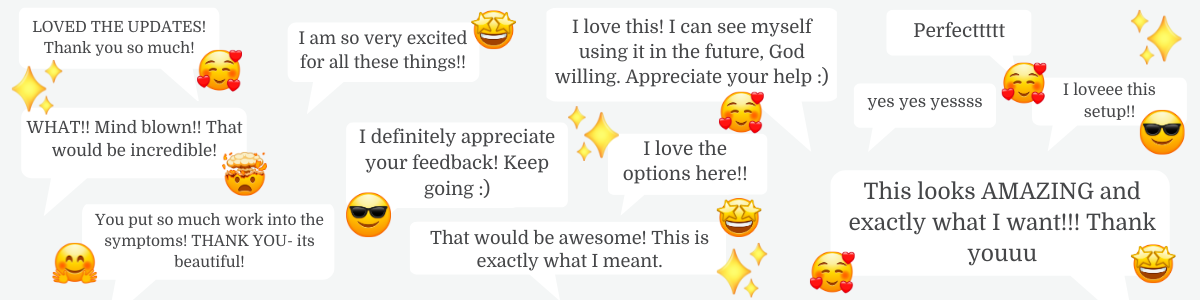
Results That Speak
Simple pricing
Access
Sparks + answers.
Cancel anytime.
- Add sparks to your forms and notes
- Practice-wide essentials like Preferred Name + Same-Day Guard
- Ask Sparkle your PracticeQ questions
- Tips, tricks & learning library
- BAA included
Pro
Your PracticeQ assistant.
Cancel anytime.
- Everything in Access
- Tell Sparkle what you need in plain English
- Sparkle opens, finds, audits, books & starts notes
- New commands as they land
Practice
Your whole team.
2 Access teammates included. Cancel anytime.
- Everything in Pro, for you
- Practice sparks, on for everyone
Conversation Assign, Income Snapshot, Calendar Route - Your team gets Access: sparks, answers & Tips + Tricks
- Upgrade anyone to Pro when they need Sparkle to act for them
- One bill, one BAA
Not sure? Start with Pro — having Sparkle do the work is where the time comes back. You can step down to Access ($17) anytime.
Questions, answered
Is it safe to use with client records?
Sparkle runs inside your own PracticeQ login, so it only ever sees what you can already see. Your BAA is included on every plan. Nothing changes without showing you first. It never charges a client or messages them on its own. Some actions, like booking an appointment, can set off the emails or texts PracticeQ normally sends.
So what does it actually cost?
Pro is $97/month. No setup fee and no setup call — it installs in a minute, and you can cancel anytime. Any bigger projects down the road are quoted separately, and only if you want them.
What's the difference between $17 and $97?
At $17, Sparkle answers — PracticeQ questions, explained plainly — and you install sparks yourself, with the tips, tricks & learning library and a BAA. At $97, Sparkle acts: it reads your practice and does the clicking, plus the advanced sparks and dashboard widgets. Start with Access →
Do I need to be techy?
Nope. If you can use PracticeQ at all, you can use this. Sparkle explains things in plain language, and if you get stuck there's a line to our team right inside it.
What if Sparkle can't answer my question?
There's a direct line to our team built right into Sparkle. Message us and we'll help — that's part of every membership.
Why can't I just hire you for one thing?
Because your practice is a connected system — fix one piece in isolation and you'll often knock something else loose. The real wins come from steady improvements over time, and those only work when we know the whole picture. Membership means we actually know your practice. (And it keeps our time protected for the people who are genuinely in it with us.)
Can I cancel?
Anytime, no guilt-trip. Just know your sparks switch off when your membership ends. Come back whenever — we'll be here.
Will this work for my type of practice?
If you're a solo or small practice on PracticeQ — therapy, OT, SLP, lactation, psych, you name it — yes. It works especially well for the brains that find PracticeQ overwhelming. (We get it. Same.)
Does it work with IntakeQ?
Yes. PracticeQ is IntakeQ's new name — same system, same login. If your practice runs on IntakeQ, Sparkle works for you.
Ready to stop fighting your systems?
Answers, shortcuts, and an assistant that does the clicking. $97/month — installs in a few minutes, cancel anytime.
Get ProJust want answers? Start with Access — $17/mo